

This is a brain dump on how taking notes and Obsidian as a tool has helped me.
Knowledge management?
As one progresses further into career, Knowledge management becomes as equally important as Finance management. Knowledge accumulation is a non-linear trajectory. Majority of the times it is compounding in nature. If one doesn’t organise it, you are always at the mercy of “I had solved this once before but don’t remember how“.
This writeup is a walk through of Obsidian which I use for all my notes (work and life).
First things first. Obsidian is just a tool. It only shines when one is in the habit of regularly taking notes. I obsessively write everything down because I don’t trust my mind. I can forget anything and everything. Moreover, it is much peaceful when I am not compelled to remember everything. I can rely on my notes which I can always get back to.
I am a fan of Tiago Forte. While he has a book on building second brain, here is a quick overview where he explains the importance of taking notes. YouTube – 6mins.
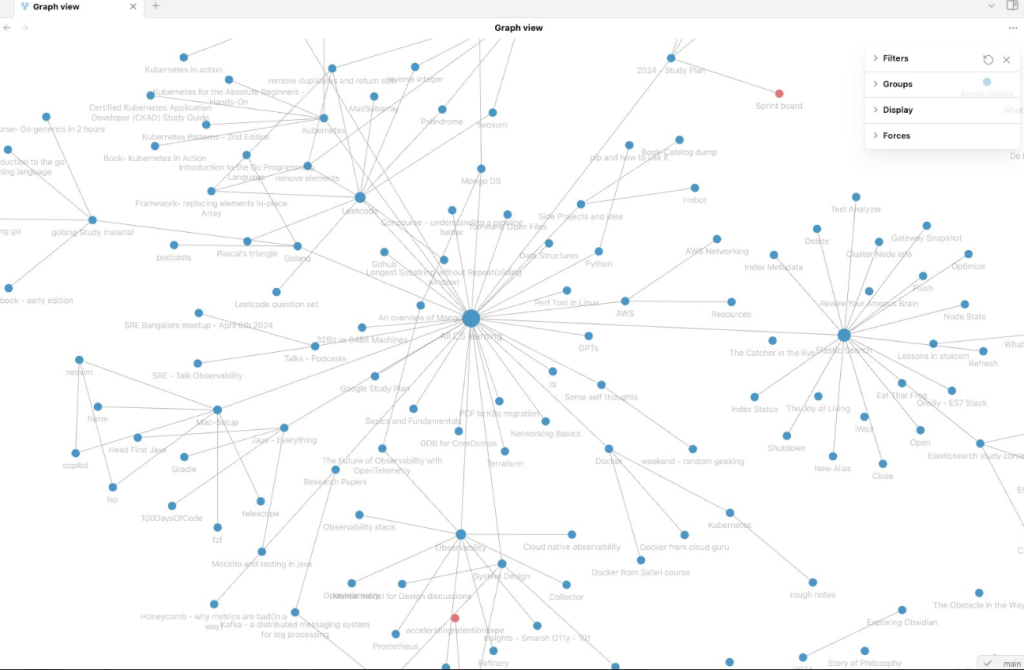
While I do have a case for why obsidian is better than other tools – it is true that it has a larger initial learning curve. I have tried them all. Evernote, OneNote, Notion. They all have their right place and I love notion in particular. But as the number of notes grow in particular, that is when Obsidian shines. It connects them all and shows the interlinking between them. I had like 1200+ notes when I migrated from Notion into Obsidian, and below is how my notes graph looks like.

A zoomed in section of it:
But again, why Obsidian ?
- Markdown and simple notes first approach: Obsidian shines at doing one thing and that one thing well – taking notes. It doesn’t focus on Databases and fancy visuals.
- Connecting the dots: As you collect and write more of your notes, Obsidian ties it all together. You might have written a self-note about ElasticSearch and completely forgotten about it. But Obsidian shows it in your knowledge graph with all potential matches. Tags, auto-linking, Graph view – all work like a charm.
- Git backup: I was a Notion user before I moved to Obsidian. I used to be paranoid if Notion blocks my account for whatever reason. I had to take a weekly backup – just in case. With Obsidian there are more than ways of backup. I use github. More on Obsidian plugins here.
- Ease with terminal: Since Obsidian deals with markdown files(.md), you don’t have to leave the terminal, if you are a terminal person. Nvim has loads of plugins which will make you fall in love with Obsidian, like – telescope , vim-markdown , treesitter etc.
- Community driven: r/ObsidianMd subreddit has some of the kindest folks. They always help and there are new plugins available almost every week for any fancy stuff.
- Sync between devices: While other tools like Notion, OneNote shine at this(out of the box) – for obsidian I use gitbackup for sync. For my phone I use Syncthing, a filesync setup for low latency syncing of all my notes. It works like a charm.
- Full ownership of your data: One of my favorite features of Obsidian is its use of plain text files by default, which offers several advantages: notes can be accessed offline, edited with any text editor, viewed with various readers, easily synced through services like iCloud, Dropbox, or git, and remain yours forever. Obsidian’s CEO, Steph Ango, elaborated on this philosophy in a blog post here.
Use-case where Obsidian helped:
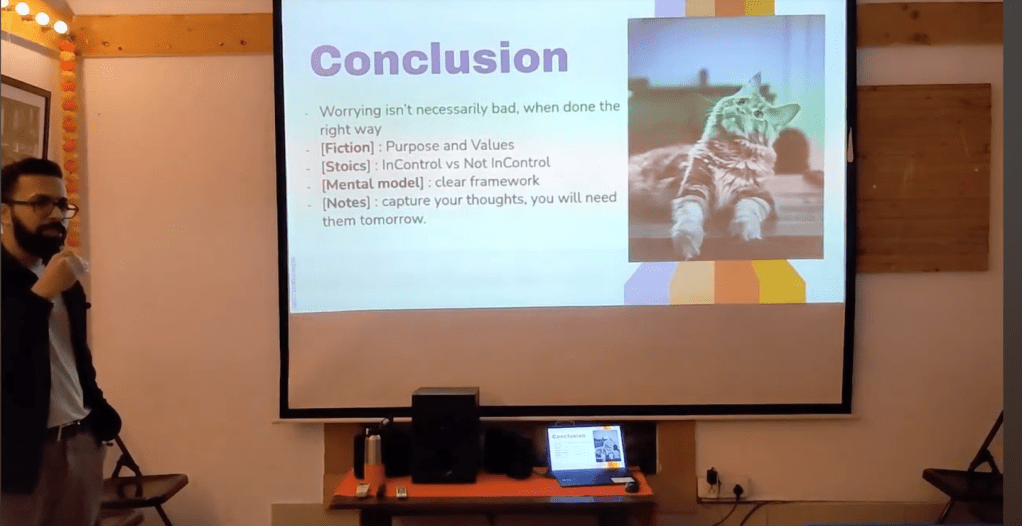
- I was recently invited to a weekend geekout session. Only criteria was to speak about a “not-so-technical” topic.
- I picked the topic of “Thinking well” and dived into my Obsidian vault. – YouTube link – 20mins.
- As I geeked out, to my surprise, 3 non-related books connected with each other for Thinking.
- A fiction, A philosophical, A non-fiction. Thanks to my obsessive amount of notes, I was able to link them all and tie them up – out of the box on Obsidian. More importantly, I could see the parallels between the books myself without intentionally thinking about them.
Some resources on Obsidian that I have found useful:
While this writeup just a brain dump, I don’t intend to say Obsidian is the only way. There are better ways – just that obsidian is working well for me right now.
Below are some resources to dive deep into obsidian:
- Detailed notes on the tool – https://www.ssp.sh/blog/obsidian-note-taking-workflow/
- Note taking system – https://youtu.be/Xw3SkhB4dMk?si=CUu1W7sGhS0t5VAz
- Physical to Digital notes – https://youtu.be/eLqQo38wC2Q?si=NmWwN4vHKVoPIb0i
- Obsidian docs – https://help.obsidian.md/Home
Let me know what you folks use for notes! Cheers.
 Engineering Blog
Thanks Akshay, I’ve been looking to dig my teeth into Obsidian but found it overwhelming your post has given my motivation to give it another go!
LikeLike