
Operating system : Linux
This is a very straight forward write-up on how to root cause “Too many open files” error seen during high load Performance Testing.
This article talks about:
- The ulimit parameter “open files”,
- Soft and Hard ulimits
- What happens when the process overflows the upper limit
- How to root cause the source of file reference leak.
Scenario :
During a load test, as the load increased, I was seeing failures in transaction with error “Too many open files”.
Thought Process / background:
As most of us already know, we see “Too many open files” error when the total number of open file descriptors crosses the max value set.
There are couple of important things to note here :
- Ulimit means – User limit for the use of system wide resources. Ulimit provided control over the resources available to the shell and the process started by it.
- Check the user limit values using the command – ulimit -a
- These limits can be set to different values to different users. This is to let larger set of system resources to be allocated to a user who owns most of the process.
- Command to check ulimit values for different user — sudo – <username> -c “ulimit -a”
- Ulimit in itself is of two kinds. Soft limit and Hard limit.
- A hard limit is the maximum allowed values to a user, set by the superuser/root. This value is set in the file /etc/security/limits.conf. Think of it as an upper bound or ceiling or roof.
- To check hard limits – ulimit -H -a
- A hard limit is the maximum allowed values to a user, set by the superuser/root. This value is set in the file /etc/security/limits.conf. Think of it as an upper bound or ceiling or roof.

- A soft limit is the effective value right now for that user. The user can increase the soft limit on their own in times of needing more resources, but cannot set the soft limit higher than the hard limit.
- To check soft limits – ulimit -S -a

- Also note that, soft values are the default values listed when you don’t specify the ulimit type.
- ulimit -a — this will list only soft limit values.
- To increase “open file limits” – please refer to a great write up link mentioned below :
Now that we know to a fair extent about ulimit, let’s see how we can root cause the reason for “Too many open files” error and not just increase the max limits for the parameter.
Debugging:
- I was running a load test(that deals with a lot of files) and after a certain load limit, the test started to fail.
- Logs showed exceptions with stacks leading to “Too many open files” error.
- First instinct – Check the values set for open file descriptor.
- Command – ulimit -a
- Note: it is important to check the limits for the same user who owns the process.
- The value was set to a very low limit of 1024. I increased it to a larger value of 50,000, and quickly reran the test. (link on how to make the change mentioned in above section)
- Test started failing even after increasing the open file descriptor values.
- I wanted to see what where these file references which were being held on to. So I took a dump of open file references, and wrote to a file.
- lsof > /tmp/openfileReferences.txt
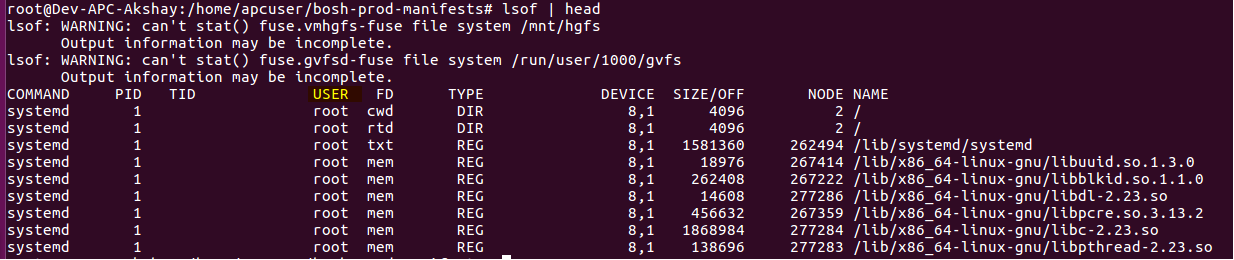
- Above commands dumps the files referenced all the users. Grep out the output only for the user that you are interested in .
- lsof | grep -i “apcuser” > /tmp/openfileReferences.txt

- Now if you look in to the lsof dump, you will see the second column being the ProcessID which is holding on to the file references.
- You can run the below awk command which sums up the list of open files per process, sorts it based on the process holding max number of files and lists the top 20.
- cat openfile.txt | awk ‘{print $2 ” ” $1; }’ | sort -rn | uniq -c | sort -rn | head -20

- That’s it ! Now open the dump files and look at the files held in reference (last column from lsof dump.). It will give the file which is held in reference.
- In my case, it was a huge list of temp files which were created during the process, but the stream was not closed, leading to file reference leaks.
Happy tuning!
 Engineering Blog